Where to Put Smart Leak Sensors and How to Check Compatibility
Place leak sensors where water reaches their contacts. Check hubs, local alarms and remote alerts, then test the complete notification path at home.

Put a leak sensor where escaping water can reach its sensing contacts, close to a likely leak source. Under a sink, beside a washing machine or near a water heater can be useful locations, but the floor, tray and pipe arrangement determine the exact spot.
Then test both detection and notification. A sensor can recognize moisture and sound nearby without successfully reaching your phone.
Follow the likely path of water
Inspect the area while it is dry. Identify connections, hoses and any tray or raised lip that would contain a small leak. Place the sensor within the area water would reach, following its instructions, rather than on an elevated shelf merely because that position is convenient.
Under a sink, keep it clear of bottles that could knock it over or insulate the contacts from water. Near a washing machine, account for hoses and the route water could take along the floor. Around a water heater or appliance tray, preserve drainage and service access.
One sensor only detects water that reaches its sensing area. It does not monitor every pipe in the room. If there are separate low points or isolated compartments, one placement may leave the other area unmonitored. A model with a sensing cable can cover a different shape of area, but check the actual cable's detection coverage and installation instructions.
Distinguish the alarm paths
Check these functions separately: the sensor's own audible alarm, any hub alarm, and the remote phone notification. A local siren can help someone at home. A push notification is useful only if the phone receives it and someone can respond.
Tapo's T300 documentation provides a concrete example. Its FAQ says the sensor can sound an alert without app setup, while app management requires association with a Tapo hub. It also says other brands' hubs are not supported. Shared branding or a general smart-home badge is therefore not enough to establish compatibility.
This is a documentation example, not a Better Things Daily catalog recommendation. Confirm the exact regional sensor and hub combination before buying.
Check compatibility before placement
Find out whether the sensor connects directly to Wi-Fi or uses a separate hub. Read the supported hub and platform list, including any regional limitations. If a phone ecosystem is supported, check whether it exposes the leak event itself or only some related functions.
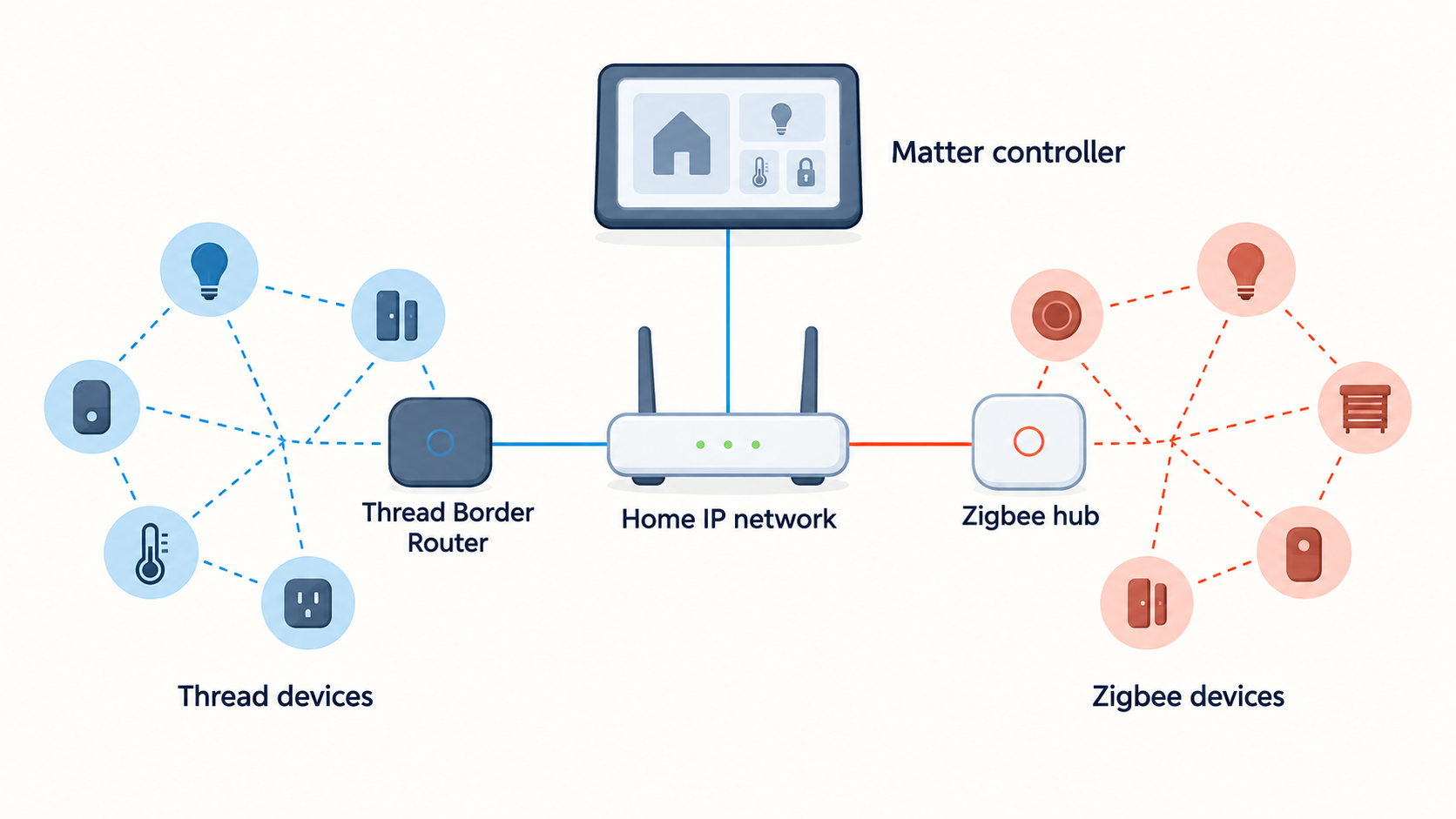
For background on the network terms, read Thread versus Zigbee. For accounts and household access, use the smart-home setup guide. Neither replaces the sensor's compatibility list.
Test the finished installation
Use the manufacturer's specified water test after setup, then dry the device as directed. Confirm the local sound, hub response if configured, and phone notification from the final location. Give the device a specific name such as “Laundry room, washer hoses” so an alert points to somewhere actionable.
Check notification permissions and household access. If remote alerts matter, test while the phone is using mobile data. Review documented behavior during internet or power loss; do not assume the hub and cloud alert path survive because the sensor has batteries.
Set a reminder to inspect the sensor and battery condition at the interval the manufacturer recommends. Retest after moving it, changing hubs or changing phones.
An alert does not stop the water
An automatic shutoff requires a separate compatible valve or integrated system. Pipe and valve suitability, installation, power and manual operation need their own assessment. Do not assume an alert-only sensor will close a water supply.
Know whom to contact and how to respond before a leak occurs. Keep away from water near electrical equipment and seek appropriate help for an active hazard. The useful result is an early warning with a workable response, rather than a silent device hidden behind cleaning supplies.
Sources
Sources checked 2026-09-12.
Cover photo: Imani / Unsplash License. Contextual photograph; not a product test or an installation diagram.
This article may contain affiliate links. If you purchase through them, Findory may earn a commission at no extra cost to you. Read our disclosure.