Google Wallet Home Keys: Compatible Locks, Android Phones and Hub Requirements
Google Wallet can now hold a digital key for supported smart locks. Here is the hardware, Android, NFC and UWB checklist to complete before expecting tap-to-unlock or hands-free entry.
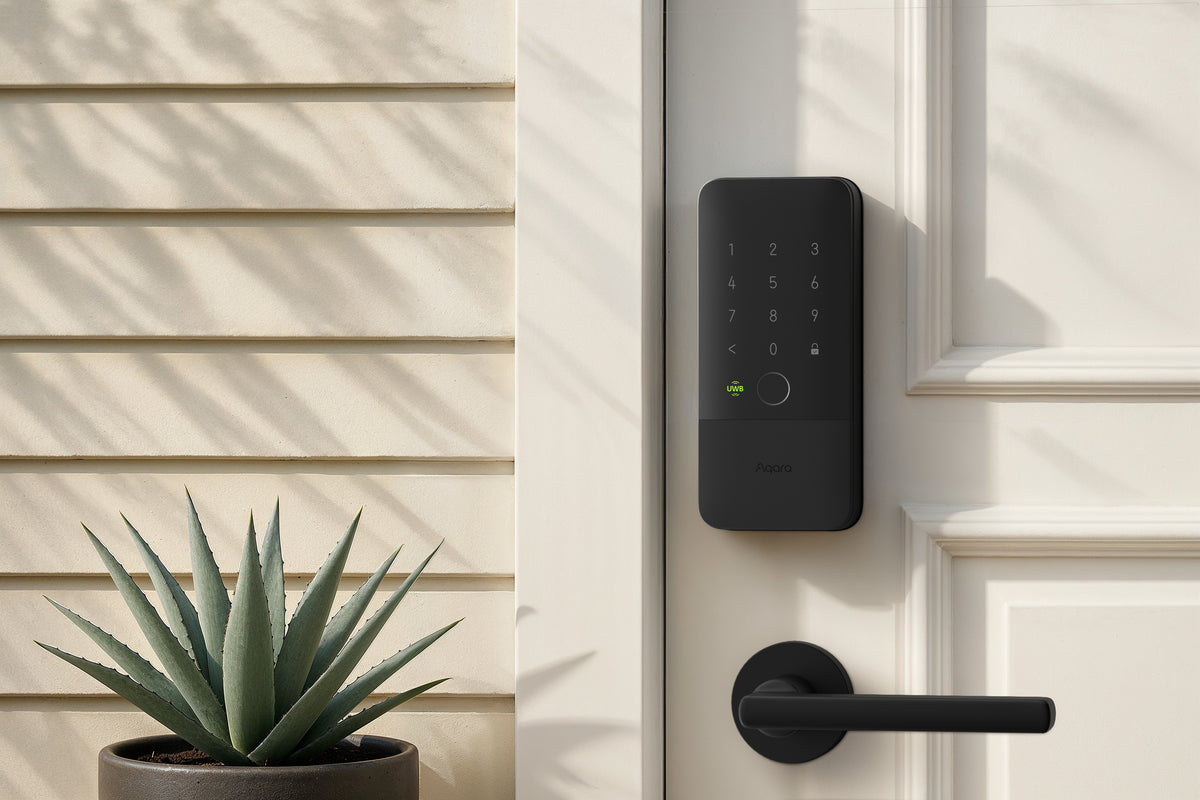
Google Wallet can now hold a digital home key for certain smart locks managed through Google Home. The useful part is that you can tap an NFC-enabled Android phone against a compatible lock instead of opening an app or typing a code. On a narrower set of hardware, a phone and lock with Aliro Ultra-Wideband (UWB) support can also unlock as you approach.
It is not a feature that appears on every Matter lock. You need the right lock, a compatible Google hub, an Android phone and the current Google Home and Wallet apps. Google's announcement began in Public Preview on 11 November 2026, with a wider rollout planned over the following weeks.
What you need before setting it up
Google's launch instructions list three main requirements:
| Requirement | What to check |
|---|---|
| Smart lock | A Matter-certified lock that also supports the Aliro access standard |
| Google hub | A Matter-enabled Google hub with Thread Border Router functionality |
| Phone and apps | An NFC-enabled Android phone running Android 9 or later, with current Google Home and Google Wallet apps |
Google gives these examples of compatible hubs: Nest Hub (2nd gen), Nest Hub Max, Nest Wifi Pro and Google TV Streamer. Do not assume that any Google speaker or older Nest device is a Thread Border Router. Check the exact hub model.
The lock must support both Matter and Aliro for this Wallet feature. “Matter compatible” on its own is not enough. Matter helps smart-home devices work across platforms; Aliro is the access-control standard that enables the digital key interaction with a compatible reader.
Tap to Unlock vs Unlock on Approach
These are two different functions, with different hardware requirements.
| Feature | How it works | What it needs |
|---|---|---|
| Tap to Unlock | Hold the back of the NFC-enabled Android phone near the lock reader | An Aliro-compatible lock with NFC support and an eligible Android phone |
| Unlock on Approach | The door can unlock as you walk up, without tapping | An Aliro UWB-compatible lock and a supported UWB Android phone |
Google says Tap to Unlock works even while the phone screen is locked, and verification settings can be adjusted in Google Wallet. That does not mean every user preference or lock configuration will behave identically; follow the lock maker's setup instructions.
For hands-free unlocking, UWB support is more restrictive. Google's launch note identifies the Pixel 10 Pro series and above, including Fold and XL models, among compatible phones. A regular NFC phone can still be suitable for tap-to-unlock without supporting hands-free unlocking.
Which locks are supported at launch?
Google names these examples in its launch FAQ:
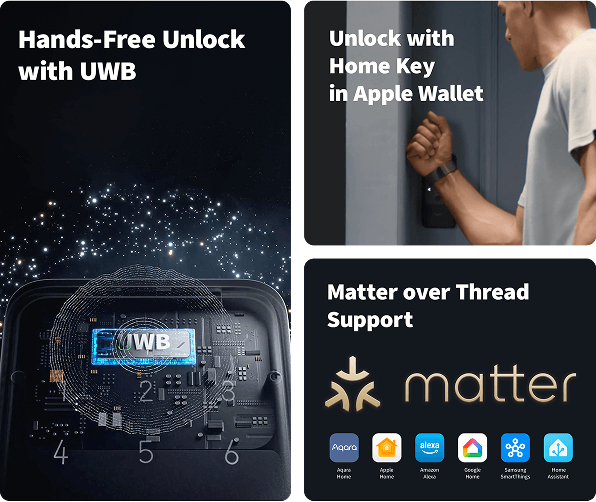
- Aqara U400: Google lists NFC and UWB support for the launch.
- Schlage Sense Pro: NFC support at launch; Google says UWB support will follow.
- Nuki Keypad 2 NFC: listed as a supported Aliro access option. Check the exact Nuki lock and keypad combination before purchase; a keypad accessory should not be confused with a complete smart lock.
Google says more compatible locks are expected. That is not the same as a full universal compatibility list. Before spending money, check the exact regional model number with both Google and the lock manufacturer.
How the digital key is managed
The key is associated with the home in Google Home rather than with just one individual lock. Google says compatible Aliro locks connected to that home can use the same Wallet key. Household members in the Google Home household can add their own keys to their personal Android phones.
Google also says the key syncs across compatible Android phones signed into the same Google Wallet account. Wear OS watches are not supported at launch.
This is useful for a home with more than one compatible lock, but it does not remove the need to plan access for visitors, cleaners, family members or anyone who does not use a supported Android phone. Keep the lock's documented backup entry method available.
Does it work in India?
Google's launch post describes the feature and its hardware requirements, but does not provide a complete country-by-country availability list. Do not treat an announcement or the presence of Google Wallet on a phone as confirmation that home keys are enabled for your country, account or lock.
Before buying a lock specifically for this feature in India, verify three things on the current Google Home and Google Wallet help pages: whether the home-key feature is available in your region, whether the exact lock model is supported in that region, and whether the manufacturer's India version has the Aliro capability described by Google.
If those details are not clear, wait for explicit regional confirmation instead of importing a device based only on a launch announcement.
What to check on your door before buying
Digital-key compatibility is separate from whether a lock physically fits your door. Measure the deadbolt, door thickness, bore, backset and clearance. Check the installation guide for the exact regional model and make sure every resident has a reliable fallback method.
Our smart-lock compatibility checklist explains the physical measurements and backup-entry questions. If you are choosing the network side of the setup, see Matter, Thread, Wi-Fi and Zigbee explained and Matter controller vs Thread Border Router.
Common setup problems to avoid
Buying a Matter lock without Aliro. It may work with Google Home for ordinary smart-home controls and still not support Google Wallet home keys.
Assuming the hub is compatible because it is a Nest device. Check for Matter and Thread Border Router support on the exact hub model.
Expecting hands-free unlock from any NFC phone. NFC tap-to-unlock and UWB unlock-on-approach are not interchangeable.
Confusing a keypad accessory with a lock. Check the complete lock and reader combination, not only a keypad product name.
Removing physical backup access. Batteries, phones, networks and accounts can fail. Follow the lock maker's documented recovery options.
Final checklist
Before checkout, confirm the exact lock model supports Matter and Aliro, your Google hub includes Thread Border Router functionality, your phone has NFC and Android 9 or later, and the feature is available for your region. Treat UWB unlock-on-approach as an additional feature with its own phone and lock requirements.
Google Wallet home keys make phone-based entry more practical, but only when every part of the setup is compatible. The model number and regional support matter more than the Matter logo alone.
Sources
- Google Home: Introducing home keys in Google Wallet for compatible smart locks
- Google Home: Set up Matter-enabled devices
- Google Wallet: Add or manage a home key
- Connectivity Standards Alliance: Aliro
- Aqara U400 Smart Lock
Details checked against Google's 11 November 2026 announcement. Rollout and country availability may change. Findory has not tested these lock models or performed an installation.
See the Aqara U400 product details
Google names the Aqara Smart Lock U400 as a compatible launch lock. Check the door-fit limits, Matter-over-Thread requirements and regional pricing on the product page before buying.
Frequently asked questions
- What do I need for Google Wallet home keys?
- Google lists a Matter-certified lock that supports Aliro, a Matter-enabled Google hub with Thread Border Router functionality, an NFC-enabled Android phone running Android 9 or later, and the current Google Home and Wallet apps.
- Does every Matter smart lock work with Google Wallet?
- No. The lock must support both Matter and Aliro for this home-key feature. Matter compatibility alone is not enough.
- Which phones support Unlock on Approach?
- Hands-free unlock needs an Aliro UWB-compatible lock and a supported UWB Android phone. Google identifies Pixel 10 Pro series and above, including Fold and XL models, in its launch information.
- Does Google Wallet home key work in India?
- Google's launch post does not provide a complete country-by-country availability list. Check the current Google Wallet and Google Home regional help information before buying for this feature.
- Can I use a Wear OS watch as my home key?
- Google says Wear OS smartwatches are not supported at launch.
This article may contain affiliate links. If you purchase through them, Findory may earn a commission at no extra cost to you. Read our disclosure.