RealRuler: A Free Online Ruler for Measuring Objects on Your Screen
A practical look at RealRuler, a browser-based ruler for quick measurements, screen checks, crafts, design work, and school projects.
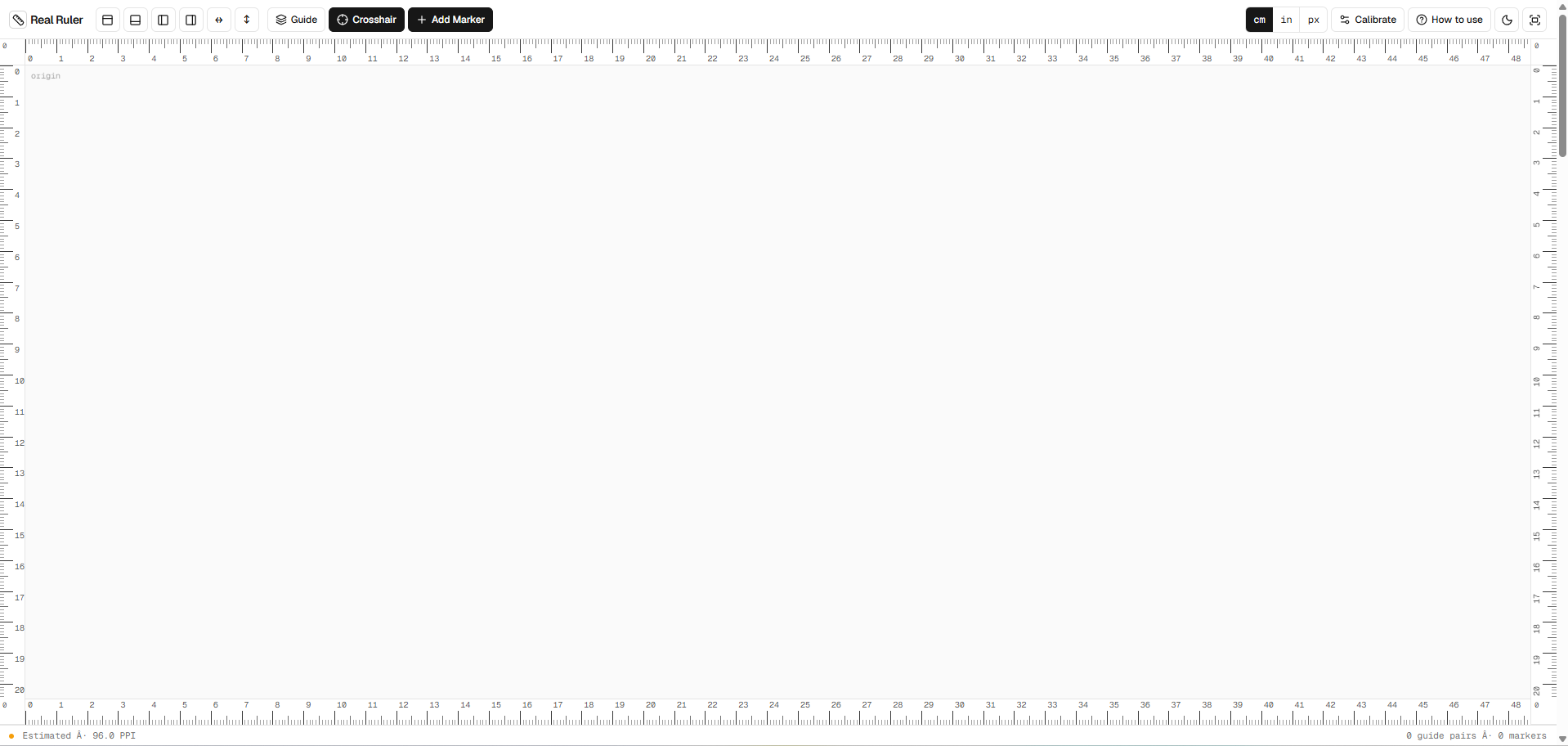
The image above shows the RealRuler browser-based measuring interface, with rulers around the workspace and controls for units, calibration, guides, and markers.
There are plenty of moments when you need a rough physical measurement but do not have a ruler within reach. A small craft component may need checking, a screen element may look slightly off, or a school project may call for a quick comparison. RealRuler's free online ruler puts a measuring surface directly in the browser, making it a practical option for these short, everyday tasks without asking you to install another application.
What RealRuler is
RealRuler is a browser-based measuring tool that displays rulers along the edges of an on-screen workspace. The interface supports centimetres, inches, and pixels, so you can choose the unit that fits the job. Controls for horizontal and vertical layouts, crosshairs, guides, and markers help you line up an object or inspect a distance on the display.
Because it runs on a website, it works without a software download or installation. Open the page, choose a unit, and use the visible scale. This makes it convenient on shared computers, school devices, or a work machine where installing a utility would be unnecessary or restricted.
How an online ruler works
A screen ruler translates display pixels into a physical scale. That translation depends on the screen's pixel density, browser zoom, operating-system scaling, and the device's own dimensions. RealRuler includes a calibration control so the displayed ruler can be adjusted against an object with a known size.
Calibration is the important first step when you need a physical measurement rather than a simple pixel count. A bank card or another consistently sized reference can help, provided you know its exact dimensions. Place the reference against the screen, adjust the scale until the on-screen guide matches it, and then measure the small object you care about.
For pixel measurements, calibration is generally less relevant, but browser zoom still matters. Keeping the browser at its normal zoom level avoids confusion. RealRuler is best treated as a handy visual tool, not a substitute for certified measuring equipment or precision instruments.
Practical ways to use it
Small objects and everyday checks
An online ruler can help estimate the length of a screw, bead, button, cable connector, coin, key, or other small item that can be held safely against the screen. It is useful for checking whether an accessory is likely to fit a drawer, case, or craft pattern before finding a physical ruler for final confirmation.
Avoid pressing hard, using sharp edges directly on the display, or placing anything wet or dirty against it. A sheet of clean paper between the object and screen can protect the surface, although its position should be kept consistent while measuring.
Design and screen dimensions
Designers, developers, and content creators often need to check spacing or compare the apparent size of interface elements. Pixel mode, crosshairs, guides, and markers offer a quick way to inspect distances without opening a full graphics application. It can complement the planning ideas in our guide to building a better desk setup in a small room, particularly when you are checking how much usable display area a workflow needs.
It can also help explain the difference between pixel dimensions and physical size. A 100-pixel element does not occupy the same number of centimetres on every screen, because displays vary in density and scaling.
Crafts and school projects
For paper crafts, model-making, sewing layouts, and classroom activities, RealRuler provides a quick reference for short measurements. Students can compare centimetres and inches, observe how units relate, or check a small project component when ordinary stationery is unavailable.
For important cuts, final assembly, or graded technical work, verify the result with a physical ruler or other suitable tool. The website is most useful during planning and quick checks, where convenience matters more than laboratory-level accuracy.
Quick planning before buying
Measurements are often the first step in deciding whether a product belongs in a space. A browser ruler can help with a small item, while larger purchases still require a tape measure and the manufacturer's current specifications. The same measured-first approach is useful when comparing accessories for small desks: confirm the available space before adding another stand, light, or organiser.
Benefits and limitations
RealRuler's main benefit is immediacy. It is free to open, works across modern browsers, offers several units, and does not add another installed utility to maintain. The uncluttered workspace is useful for both a basic edge measurement and more visual checks involving guides or crosshairs.
Its limitation is the screen itself. Two devices can render the same page at different physical scales, and a changed zoom setting can affect the result. Calibration improves usefulness but does not turn a consumer display into precision measuring equipment. Screen bezels may also make it awkward to align some objects exactly with the zero point.
A sensible measuring routine
Start by deciding whether you need pixels or a physical unit. For centimetres or inches, check browser zoom and calibrate with a known reference. Position the object gently, read the scale without changing your viewing angle, and repeat the measurement once. If fit, safety, manufacturing, or money depends on the number, confirm it using an appropriate physical tool.
Used with those limits in mind, RealRuler is a thoughtful little browser utility: quick to reach when a normal ruler is missing, capable enough for screen and craft checks, and simple to close when the job is done.
Frequently asked questions
- Does RealRuler require an installation?
- No. RealRuler runs directly in a modern web browser, so there is no desktop or mobile application to install.
- Why should I calibrate an online ruler?
- Physical scale varies with screen density, browser zoom, and operating-system scaling. Calibration against an object with known dimensions makes quick physical measurements more useful.
- Can an online ruler replace a physical measuring tool?
- It is useful for quick estimates and screen work, but important fit, safety, manufacturing, or precision measurements should be confirmed with an appropriate physical tool.
This article may contain affiliate links. If you purchase through them, Findory may earn a commission at no extra cost to you. Read our disclosure.
